
If you’re a Samsung user in Markham or the Greater Toronto Area (GTA), you know how important your phone camera is—whether you’re capturing family moments, snapping food photos, or shooting quick videos for work. But when your Samsung camera starts taking blurry photos or the lens gets cracked, it can be frustrating. You might wonder: Is this fixable? Do I need a full replacement? How much does it cost?
At Mobile Square – We Fix and Unlock, we’ve helped hundreds of Samsung users in the GTA restore their cameras to crystal-clear quality. Based on what we see every day in our Markham repair shop, this guide will help you understand why your Samsung camera is blurry or broken, how repairs work, what to expect, and when issues like Water Damage might require professional attention.
Understanding Why Your Samsung Camera Is Blurry
A blurry Samsung camera doesn’t always mean the lens is broken. Sometimes, the issue is as simple as a software glitch or dirt buildup. Other times, it’s a sign of internal damage.
Technology reviewers at theverge often discuss how smartphone camera performance can decline due to software bugs or minor hardware faults, which aligns with these common issues.
Here are the most common causes:
1. Dirt or Smudges on the Lens Even small fingerprints can scatter light and make images look foggy. Cleaning the lens gently with a microfiber cloth can sometimes solve the problem instantly.
2. Moisture or Condensation If you’ve recently moved from a cold to a warm environment, moisture can form under the lens cover, causing temporary blurriness.
3. Focus Malfunction Your camera’s autofocus motor may fail over time, especially after drops or impacts. This leads to constant “hunting” for focus or images that never sharpen.
4. Cracked or Scratched Lens If the lens cover is cracked, light scatters before it reaches the sensor—resulting in permanently blurry or distorted photos.
5. Software Issues Sometimes, a system update or corrupted app cache affects your camera’s performance. Resetting the camera app or performing a factory reset can fix it.
How Samsung Camera Repairs Work
The repair process depends on whether your issue is internal or external. At Mobile Square, we start with a full diagnostic to confirm if the problem lies in the lens cover, the camera module, or the software.
Here’s what typically happens during a Samsung camera repair:
| Issue Type | Repair Approach | Estimated Time | Repair Complexity |
|---|---|---|---|
| Dirty/Smudged Lens | Clean and recalibrate | 15–30 minutes | Easy |
| Cracked Lens Cover | Replace protective glass only | 45–60 minutes | Moderate |
| Damaged Camera Module | Replace rear or front camera module | 1–2 hours | Advanced |
| Software/Focus Malfunction | Reset or reprogram camera firmware | 30–45 minutes | Moderate |
| Water or Impact Damage | Internal component repair or replacement | 2–3 hours+ | Complex |
Pro Tip: Always get a professional diagnosis before assuming you need a full camera replacement. In many cases, what looks like lens damage could simply be a protective glass issue that’s much cheaper and quicker to fix.
DIY Fixes You Can Try First
Before visiting a repair shop, there are a few quick checks you can try:
- Clean the Lens Properly: Use a soft microfiber cloth and a few drops of 70% isopropyl alcohol. Avoid tissues or paper towels—they can scratch the lens.
- Reset the Camera App: Go to Settings > Apps > Camera > Storage > Clear Cache and Data.
- Check for Software Updates: Outdated firmware can cause bugs in the camera function.
- Use Safe Mode: Restart your phone in Safe Mode to rule out third-party apps causing the issue.
If none of these steps help, the problem is likely hardware-related.
Pro Tip: Avoid using compressed air or poking the lens area—it can push debris inside and make the issue worse.
What to Expect During Professional Samsung Camera Repair
When you bring your phone to a trusted repair shop like Mobile Square in Markham, the technician will:
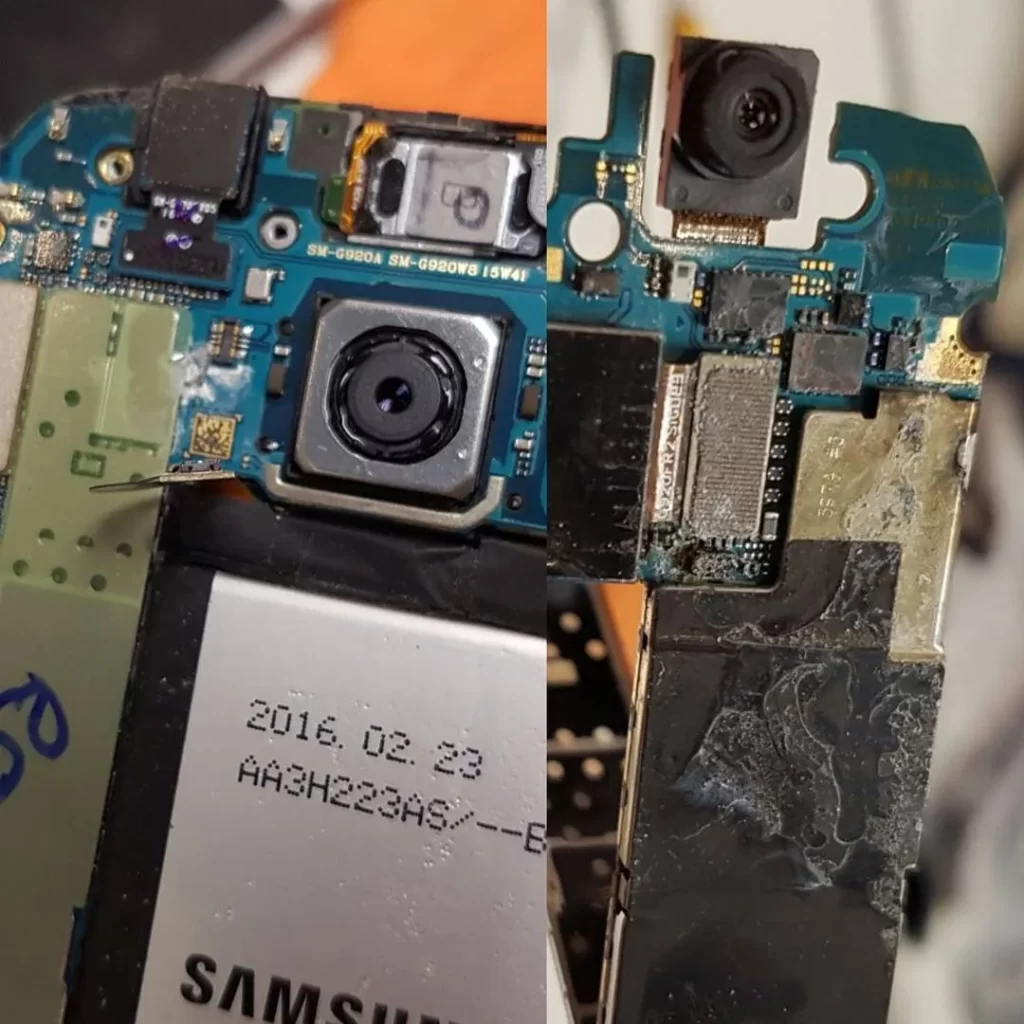
- Inspect the Device: Identify whether it’s an external crack or an internal camera issue.
- Run Diagnostic Tests: Use software tools to check focus, exposure, and lens function.
- Provide a Repair Estimate: You’ll get a clear quote before any work begins.
- Perform the Repair: Replace the lens cover or camera module using high-quality OEM parts.
- Quality Test the Camera: Ensure your phone’s camera performs like new again.
Most camera repairs can be completed the same day, depending on parts availability.
Pro Tip: Always ask if your repair shop offers a warranty on parts and labor. At Mobile Square, every Samsung camera repair includes warranty coverage for your peace of mind.
Should You Replace or Repair the Camera?
If your Samsung camera has only cosmetic damage or a cracked lens cover, a repair is almost always the smarter choice—it’s faster and cheaper.
However, if your phone has sustained internal water damage or severe impact that affected the camera sensor or logic board, you might consider replacing the entire module or scheduling a Screen Replacement if the display was also affected.
Here’s a quick guide to help you decide:
| Symptom | Recommended Solution |
|---|---|
| Minor scratches on glass | Clean or replace lens cover |
| Lens cracked but phone works fine | Lens cover replacement |
| Blurry photos after a drop | Camera module replacement |
| Camera app won’t open | Diagnostic – possible motherboard issue |
| Moisture inside lens | Professional drying and inspection |
When to Visit a Repair Shop
If your photos stay blurry after cleaning or your camera app crashes frequently, don’t wait. Continued use of a damaged camera can cause further issues—especially if cracks allow dust or moisture to enter the lens housing.
For Markham residents, Mobile Square – We Fix and Unlock provides fast, affordable Samsung camera repair backed by hundreds of positive reviews from happy customers across the GTA. Whether it’s a simple lens replacement or a full module repair, our experienced technicians can restore your camera’s sharpness and performance—often in less than two hours.
Final Thoughts
A blurry or broken Samsung camera doesn’t mean your phone is done for. With the right repair, your device can capture sharp, vibrant photos again.
If you’re in Markham or the GTA, bring your device to Mobile Square – We Fix and Unlock for a quick and reliable fix. Our expert technicians will diagnose the issue, repair it using top-quality parts, and have your camera working like new.
📍 Visit us in Markham, ON
📧 info@mobilesquare.ca
📞 (647) 970-9700
Get your Samsung camera repaired right the first time—and get back to capturing life’s best moments.
Key Questions Readers Ask
How much does it cost to repair a Samsung camera?
It depends on the damage. Lens cover replacements are usually affordable, while internal camera module replacements cost more. Visit a local technician for an exact quote after inspection.
Can I replace a cracked Samsung lens myself?
Technically yes, but it’s risky. Samsung cameras are tightly sealed, and one mistake can damage the sensor or waterproofing. It’s best to let a professional handle it.
How long does a Samsung camera repair take?
Most camera repairs take between 45 minutes to 2 hours. If parts need to be ordered, it might take a little longer.
Is camera damage covered under warranty?
Samsung’s warranty typically doesn’t cover accidental damage like cracks or drops. However, if it’s a manufacturing issue, it may be covered.