
You rely on your smartphone for almost everything. It is your alarm clock, your GPS, your bank, and your primary connection to the world. When that device stops working, it feels like a genuine emergency. Whether it is a spiderweb of cracks across the glass or a battery that dies before lunch, phone issues disrupt your life.
This guide exists to help you understand what is happening inside your device and how to fix it. We have gathered years of technical knowledge to explain the most common mobile failures and the steps required to resolve them. You will learn about screen technology, battery chemistry, and how to tell if a cell phone repair is something you can handle at home or if it requires a professional bench.
By the end of this resource, you will understand the anatomy of your phone and the physics behind common failures. We will cover hardware issues like charging ports and water damage, as well as software glitches that mimic hardware failures. This is a comprehensive look at keeping your most essential tool in peak condition.
What You Will Learn
- The mechanics of screen damage and why “just a crack” can be a problem.
- Battery health management and when it is time for a replacement.
- Diagnostics for charging issues and audio failures.
- How to handle liquid exposure to prevent permanent motherboard damage.
- The difference between OEM and aftermarket parts.
Mobile Square provides this information based on thousands of successful phone repairs performed in our lab. Understanding these systems helps you make better decisions about your hardware.
Understanding the Anatomy of Modern Smartphones
Before fixing a problem, you have to know what you are looking at. Modern smartphones are miracles of engineering, packing immense power into a sliver of glass and metal. Most devices share a similar internal architecture.
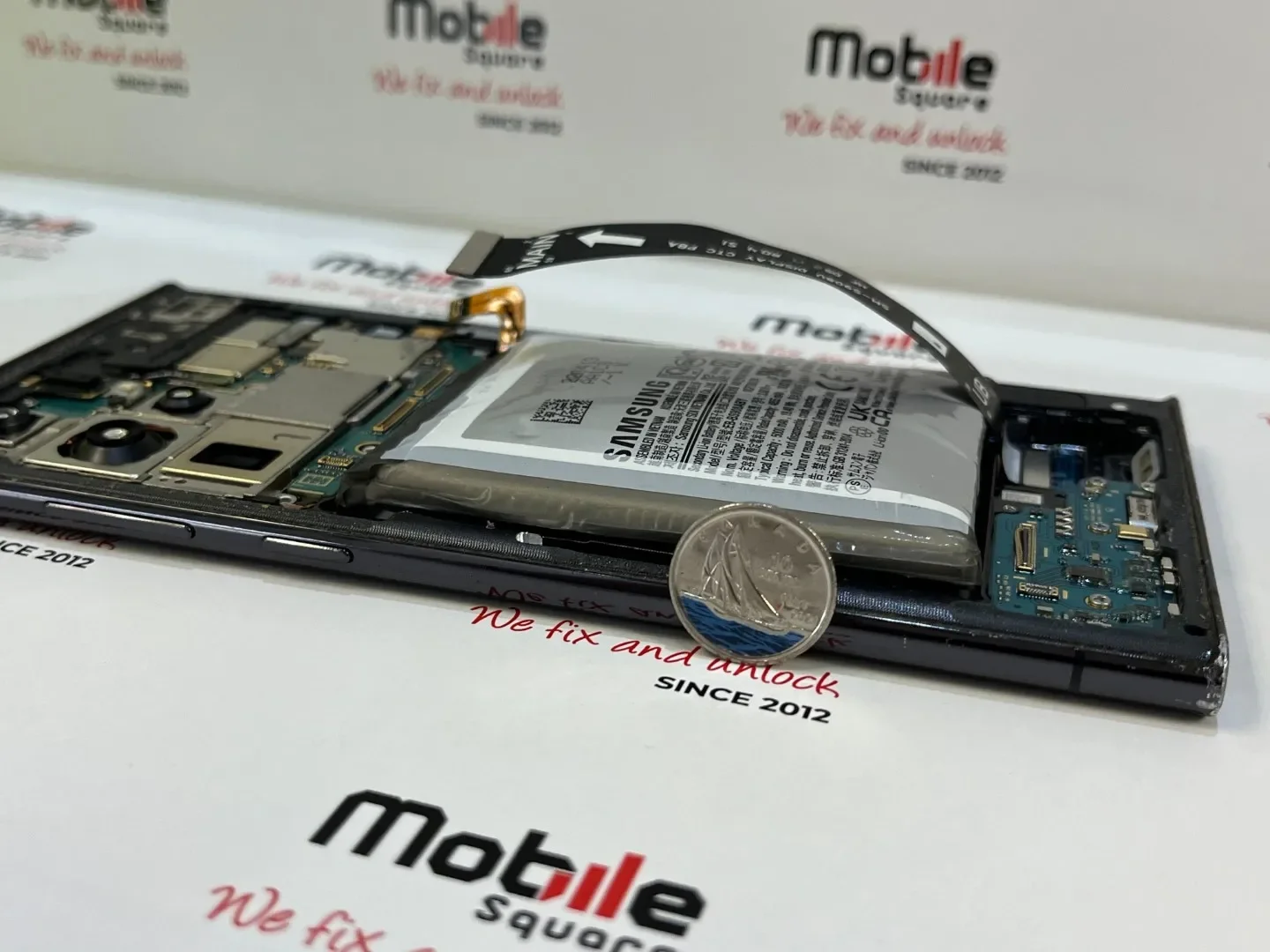
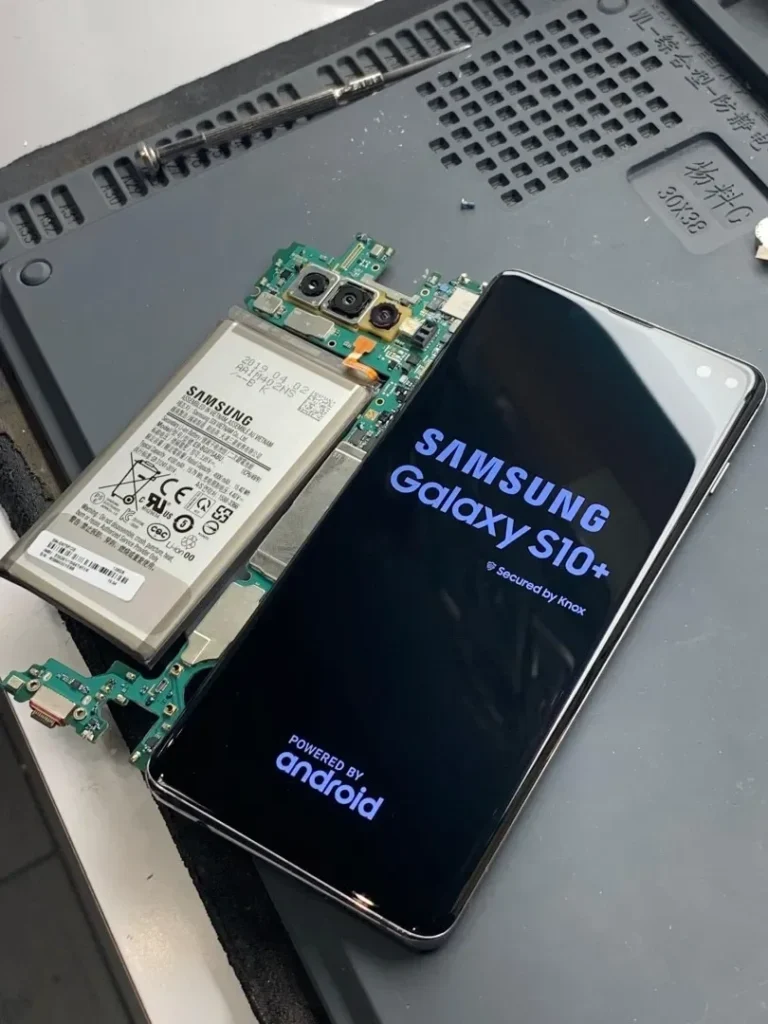
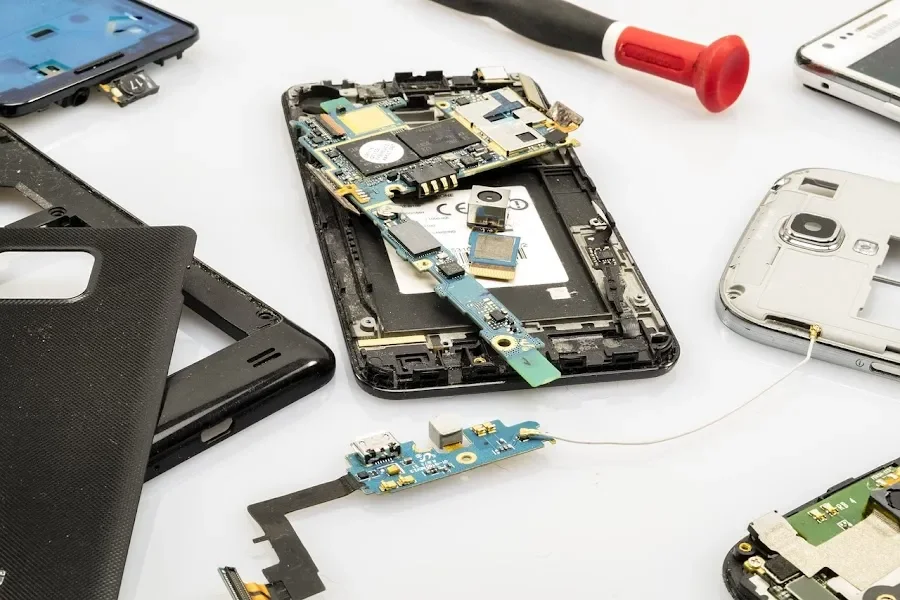
The core of the phone is the logic board, also known as the motherboard. This contains the CPU, RAM, and storage. Around it, various modular components connect via delicate ribbon cables. These modules include the camera units, the charging port assembly, speakers, and the haptic engine.
The display is usually the most expensive part. It is often a fused assembly consisting of the glass, the touch digitizer, and the actual LCD or OLED panel. Because these layers are glued together, a crack in the top glass often means the entire assembly needs replacing.
Screen Damage: More Than Just Aesthetics
A cracked screen is the most common reason people seek repairs. According to a report by SquareTrade, Americans break more than 50 million phone screens every year. While many people continue to use a cracked phone, doing so carries risks.
Types of Screen Issues
- Glass Cracks: The top protective layer is broken, but the display and touch still work.
- Digitizer Failure: The glass might be fine, but the phone does not respond to your touch or has “ghost touches” where it clicks things on its own.
- Display Damage: You see black ink spots, vertical lines, or a completely black screen. This means the OLED or LCD panel underneath the glass is broken.
Why You Shouldn’t Wait
A small crack compromises the structural integrity of the entire device. It also removes the water resistance of the phone. Moisture from your breath or a humid day can enter through the cracks and corrode the internal logic board.
Key Takeaway: If your screen is cracked, even if it still works, cover the cracks with a piece of clear packing tape. This prevents glass splinters from cutting your fingers and provides a temporary barrier against moisture until you can get a professional cell phone repair.
Battery Health and Power Management
Batteries are consumable parts. They are not designed to last forever. Most smartphone batteries are Lithium-ion (Li-ion), which have a limited number of charge cycles.
A study published by Battery University explains that Li-ion batteries typically last between 300 and 500 full discharge cycles before their capacity drops below 80 percent. When this happens, you will notice your phone dying quickly or shutting down unexpectedly when the battery level reaches 20 or 30 percent.
Signs You Need a New Battery
- The back of the phone is bulging (this is a fire hazard).
- The phone gets very hot during normal use.
- The device only works when plugged into a charger.
- Sudden drops in percentage (e.g., jumping from 40% to 10%).
Expert Tip: To extend the life of your new battery, try to keep the charge between 20% and 80%. Frequent full discharges to 0% put more stress on the battery cells than shorter, more frequent top-offs.
| Battery Symptom | Potential Cause | Recommended Action |
|---|---|---|
| Fast Drain | Background Apps or Old Battery | Check Battery Health in Settings |
| Swollen Case | Gas Buildup in Li-ion Cell | Immediate Professional Replacement |
| Slow Charging | Faulty Cable or Port | Clean Port with Compressed Air |
| Overheating | CPU Overload or Battery Internal Resistance | Remove Case and Let Cool |
Charging Port and Connectivity Problems
If your phone won’t charge, the problem isn’t always the battery. Often, the charging port is the culprit. These ports are open to the world and act as magnets for pocket lint, dust, and debris.
Every time you plug in your cable, you might be packing that lint deeper into the port. Eventually, the cable cannot make a solid connection with the pins.
DIY Cleaning Steps
- Turn the phone off.
- Use a non-metallic tool, like a wooden toothpick or a plastic dental pick.
- Gently scrape the bottom and corners of the port.
- Use compressed air to blow out the loosened debris.
If cleaning doesn’t work, the port itself might be physically damaged. The internal pins can bend or break, or the solder joints holding the port to the board can crack from too much “wiggling” of the cable.
Dealing with Water and Liquid Damage
Water damage is the “silent killer” of electronics. While many modern phones have an IP68 rating, this is not a permanent guarantee. Seals degrade over time, and a drop can create tiny gaps in the frame.
According to technical data from iFixit, the biggest threat isn’t the water itself, but the minerals in the water. When water dries, it leaves behind deposits that conduct electricity where it shouldn’t go, causing short circuits. It also starts a chemical reaction called electrolysis that eats away at the copper traces on the motherboard.
Immediate Rescue Steps
- Power it off: Do not check if it still works. Power is the enemy when moisture is present.
- Remove what you can: Take out the SIM tray and any memory cards.
- Dry the exterior: Use a lint-free cloth.
- Avoid the rice myth: Rice does not pull moisture out of a sealed device effectively. It can actually introduce dust and starch into the phone.
- Use a desiccant: Silica gel packets (the ones found in shoe boxes) are far more effective at absorbing moisture.
Audio Issues: Speakers and Microphones
If you cannot hear callers, or they cannot hear you, you have an audio circuit problem. Smartphones usually have multiple microphones: one at the bottom for calls, one near the camera for video, and one near the earpiece for noise cancellation.
Common Audio Fixes
- Earpiece Clogs: Makeup, earwax, and skin oils often clog the fine mesh of the earpiece. A soft-bristled toothbrush and a tiny amount of isopropyl alcohol (90% or higher) can often clear this up.
- Software Glitches: Sometimes the phone “thinks” it is still connected to headphones. Toggling Bluetooth on and off or restarting the device can reset the audio routing.
- Blown Speakers: If the sound is crackly or distorted, the physical membrane of the speaker is likely torn and needs replacement.
Key Takeaway: Always check your “Do Not Disturb” settings and “Screen Time” restrictions before assuming a speaker is broken. Software settings are responsible for more “no sound” complaints than actual hardware failure.
Camera Malfunctions
Smartphone cameras are sensitive optical instruments. They feature tiny motors for autofocus and Optical Image Stabilization (OIS).
If your camera is blurry and won’t focus, the OIS motor might be stuck or damaged. This often happens if the phone is mounted to a high-vibration surface, like a motorcycle handlebar. Research shared by Apple Support warns that high-amplitude vibrations can degrade camera performance over time.
Troubleshooting the Camera
- Clean the lens: Use a microfiber cloth. A fingerprint can make the best camera look like a cheap webcam.
- Check for cracks: If the external sapphire glass is cracked, light will flare into the lens.
- Reset the app: Clear the cache of the camera app or try a third-party camera app to see if the issue persists.
Software vs. Hardware: How to Tell the Difference
Not every problem requires a screwdriver. Sometimes, the operating system is the culprit. If your phone is freezing, lagging, or crashing, it is important to rule out software before paying for a hardware repair.
Expert Tip: Perform a “Hard Reset” (Force Restart) first. This is different from a regular power off and varies by model. It cuts power to the logic board and forces the software to reload from scratch, which solves about 30% of common glitches.
When it’s Software
- The problem happens only in certain apps.
- The phone is slow but the screen and buttons are physically perfect.
- You recently updated the operating system.
When it’s Hardware
- The screen has physical lines or spots.
- The phone gets hot even when the screen is off.
- The problem persists even after a factory reset.
The Cost of Repair: Repair vs. Replace
Deciding whether to fix a phone or buy a new one depends on the device’s age and the type of damage. As a general rule, if the repair cost is more than 50% of the phone’s current market value, you might consider upgrading.
However, many repairs are very cost-effective. Samsung battery replacement can make a three-year-old phone feel brand new for a fraction of the cost of a new flagship.
| Repair Type | Average Difficulty | Estimated Time | Impact on Device Life |
|---|---|---|---|
| Battery | Moderate | 30-60 Mins | High (Adds 2+ years) |
| Screen | High | 60-90 Mins | High (Restores usability) |
| Charging Port | Moderate | 45 Mins | Medium |
| Camera | Moderate | 30 Mins | Low (Feature specific) |
The Importance of Professional Tools and Parts
If you decide to attempt a repair yourself, the tools you use matter. You cannot use a standard household screwdriver. Smartphones use specialized screws like Pentalobe, Tri-wing, and Phillips #000.
Furthermore, the quality of the replacement part is vital.
- OEM (Original Equipment Manufacturer): These are parts made by the same company that supplied the original parts for the phone. They offer the best fit and performance.
- Aftermarket: These are third-party parts. High-quality aftermarket screens can be excellent, but “budget” aftermarket parts often have poor color balance, lower brightness, and more fragile glass.
Mobile Square uses high-grade components to ensure the repair lasts as long as the phone does. Using cheap parts often leads to the “callback” phenomenon where a screen fails again within weeks.
Expert Tip: When opening a phone, keep your screws organized. Modern phones use screws of different lengths. Putting a long screw into a hole meant for a short one can pierce the motherboard, a mistake known as “long-screw damage” that can kill the phone permanently.
Putting Your Cell Phone Repair Strategy into Action
Maintaining your smartphone doesn’t have to be a source of stress. By understanding the common points of failure the screen, the battery, and the charging port you can take steps to prevent damage before it happens. Use a sturdy case, avoid using your phone in the bathroom where steam can penetrate the seals, and keep your charging port clean.
When a problem does arise, use the diagnostics outlined in this guide to determine your next steps. Check your software first, clean your ports, and monitor your battery health. If the hardware is physically broken, remember that professional repair is an environmentally friendly and cost-effective alternative to buying a new device. A well-repaired phone can continue to serve you for years, saving you money and keeping electronic waste out of landfills.
Keep this guide as a reference. The next time your screen goes dark or your battery starts to dip, you will have the knowledge to handle the situation with confidence.
Need Expert Guidance?
If you are facing a complex hardware issue or simply want the peace of mind that comes with a professional mobile repair, Mobile Square is here to help. Our technicians have the tools and experience to handle everything from simple battery swaps to complex board-level repairs. You can reach out to us for a consultation or to schedule a service. Contact Mobile Square at 647-970-9700 or via email at info@mobilesquare.ca to get your device back in perfect working order.
Frequently Asked Questions
Can I fix a water-damaged phone by putting it in rice?
No. Rice is not an effective desiccant. It can actually make things worse by introducing dust and small particles into the device. The best approach is to turn the phone off immediately and use silica gel packets or seek a professional ultrasonic cleaning.
Will a screen protector prevent my screen from cracking?
A tempered glass screen protector adds a layer of protection that absorbs the energy of an impact. While it is not 100% foolproof, it significantly increases the chances of your actual screen surviving a drop. It is a very small investment for high-value protection.
Why is my phone charging so slowly?
Slow charging is usually caused by one of three things: a degraded charging cable, a lint-clogged charging port, or a battery that can no longer hold a high-voltage charge. Try a different high-quality cable first before assuming the phone is broken.
Is it safe to use a phone with a cracked screen?
It is not recommended. Beyond the risk of glass splinters in your fingers, the cracks allow moisture and oils from your skin to seep into the display layers, which can eventually cause the entire screen to fail or damage the internal electronics.
How long does a typical screen repair take?
For most modern smartphones, a professional technician can complete a screen replacement in about 60 to 90 minutes. This includes the time needed to transfer sensors and test the new display.
Does repairing my phone void the warranty?
If you are under the manufacturer’s original warranty or a protection plan like AppleCare+, having a third party open the device will typically void that coverage. However, if your phone is older or the damage is not covered by warranty (like accidental drops), third-party repair is a much more affordable option.
Sources
- SquareTrade – Provides comprehensive data and reports on consumer electronic breakage rates and insurance statistics.
- Battery University – An educational resource for engineers and consumers regarding battery chemistry and longevity.
- iFixit – A global repair community known for detailed teardowns and technical guides on electronics repair.
- Apple Support – Official documentation and advisories regarding hardware performance and maintenance for mobile devices.