
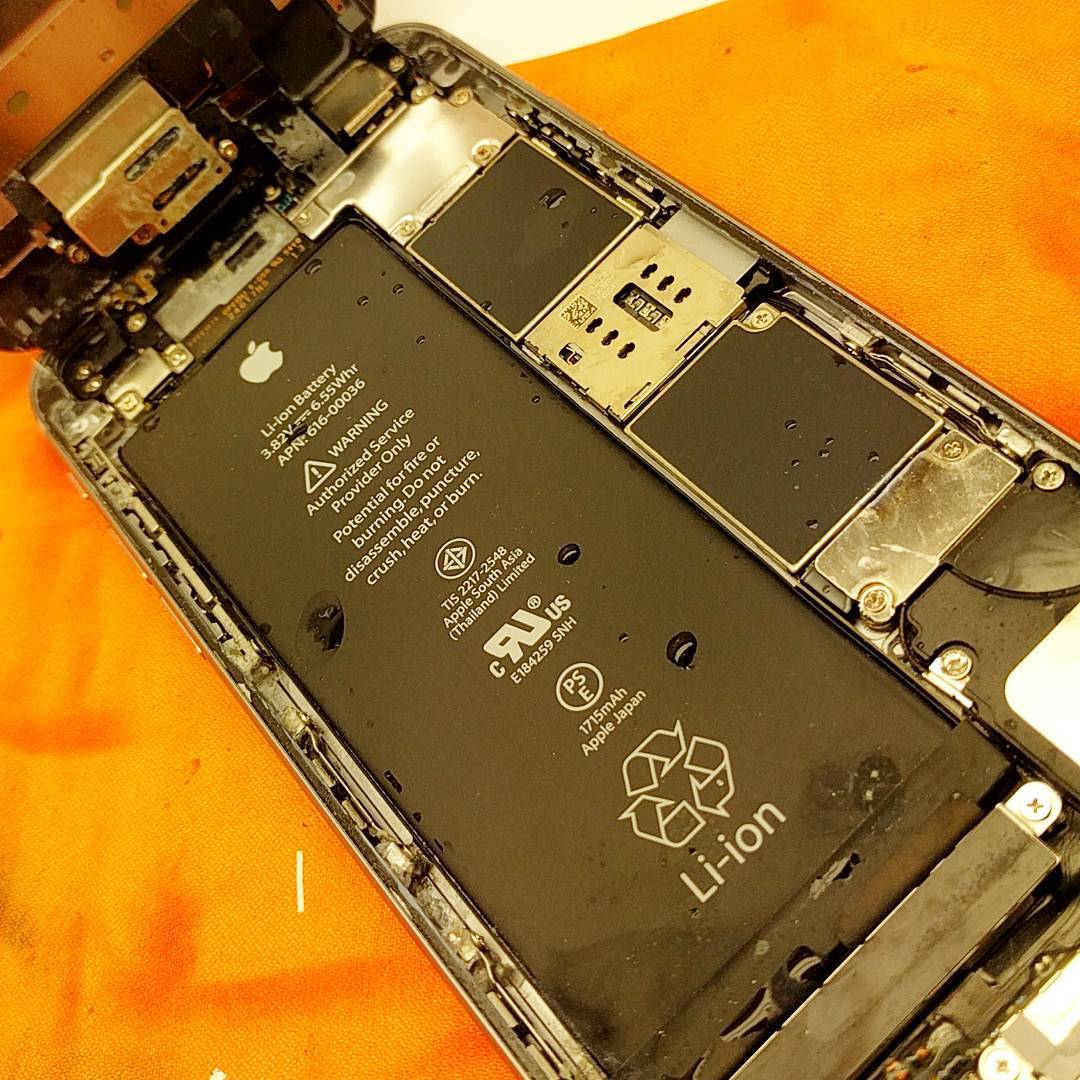
When an iPhone battery drains rapidly, the solution typically involves adjusting high-drain software settings or replacing a chemically depleted lithium-ion cell. Users in Ballantrae can resolve these power issues through professional diagnostic testing and physical battery replacements that restore the device to normal performance levels.
Dealing with a phone that dies by noon disrupts daily routines and creates unnecessary stress. Technical specialists handle hundreds of power diagnostics monthly, offering exact details on whether a quick settings tweak or a physical iPhone repair will solve the rapid drain. Understanding the mechanics behind battery consumption helps users make informed choices about their devices.
Main Drivers Behind Rapid Power Loss
Batteries degrade chemically over time through normal daily use. Apple designs internal power cells to retain 80 percent of their original capacity at 500 complete charge cycles. According to data published by Apple Support, this chemical aging results in shorter periods between charges and sudden unexpected shutdowns. As the internal chemistry breaks down, the phone simply cannot hold the same amount of energy it did when brand new.
Another major factor involves background application activity. Social media programs, email clients, and location tracking services consume significant power even when the screen remains completely off. When these applications constantly search for cellular towers or download updates in the background, they force the processor to remain active. This continuous processing burns through stored energy quickly.
Bonus Tip: Always check the internal Battery Health indicator in the settings menu before assuming the hardware is failing. If the maximum capacity shows 80 percent or lower, scheduling a physical replacement is usually the most effective step.
Filtering Software Versus Hardware Battery Problems
Many users jump straight to hardware replacement when a simple software update might fix the issue. A recent technology analysis by ZDNet indicates that active background features and high display brightness account for a massive portion of daily power consumption. Figuring out the exact cause of the drain saves both time and money.
Physical degradation shows specific physical symptoms, whereas software bugs usually appear after operating system updates or new application downloads. Differentiating between the two requires looking at specific warning signs to determine if a professional repair is the necessary next step.
| Warning Sign | Software Issue Indicator | Hardware Issue Indicator | Recommended Action |
|---|---|---|---|
| Phone dies abruptly at 20% | Rarely | Frequently | Schedule a physical replacement |
| High drain overnight | Yes (Background activity) | Yes (In severe degradation) | Check battery usage statistics |
| Device runs very hot | Yes (During heavy downloads) | Yes (Failing power cell) | Run a complete diagnostic test |
| Battery Health under 80% | No | Always | Schedule a physical replacement |
What to Consider Before Making a Decision
Replacing an internal power cell requires careful thought about the overall condition of the device. Evaluate the current state of the entire phone before scheduling a repair. If the screen has severe cracks or the charging port fails to recognize cables, addressing only the power cell might not restore full usability. Physical damage to the screen can actually prevent a technician from opening the device safely to reach the internal components.
Warranty status represents another pre-decision factor. Devices still covered by active manufacturer warranties or extended protection plans qualify for specific service options. Checking the coverage status through the device settings ensures you do not void any active protections.
Look at current data backup habits. Before handing any device over for physical repairs, creating a fresh cloud or local computer backup prevents accidental data loss. While replacing a power source rarely affects storage drives, maintaining a recent backup acts as a safety net against unforeseen technical complications.
Bonus Tip: To extend the lifespan of any internal lithium-ion cell, avoid exposing the device to extreme temperatures. Leaving a phone on a sunny car dashboard permanently damages the internal chemical structure and leads to rapid swelling.
Common Questions About Power Management
Users frequently ask if using unbranded chargers damages the device. While certified third-party cables work perfectly fine, uncertified charging blocks often deliver inconsistent electrical voltage. This inconsistency forces the internal power management chip to work much harder to regulate the current. Over time, this poor voltage regulation accelerates chemical degradation inside the cell.
Another frequent question centers around daily charging habits. Letting a phone drop completely to zero percent before charging actually harms modern lithium-ion technology. Keeping the charge level floating between 20 percent and 80 percent offers the best long-term results for preserving chemical integrity and extending the total lifespan of the device.
The Bottom Line of iPhone Battery Management
Addressing rapid power drain involves balancing daily software habits with physical hardware reality. Regularly checking device settings prevents unnecessary energy consumption, while physical repairs breathe new life into older devices. When maximum capacity drops below ideal levels, securing a professional battery and iphone screen replacement offers a practical alternative to purchasing a completely new phone. Evaluate the physical condition of the device, verify your backup settings, and seek qualified technical assistance to keep the hardware running smoothly for years to come.
Professional Battery Assistance in Ballantrae
When your phone struggles to hold a charge through the morning, getting reliable technical support makes a major difference. Mobile Square offers professional diagnostic and repair solutions to get devices functioning properly again. Stop dealing with constant power anxiety and unpredictable shutdowns. Reach out for expert guidance on your specific device issue and explore your options. Contact info@mobilesquare.ca or call (647) 970-9700 to schedule a thorough battery diagnostic and fast repair service today.
Sources
Apple Support – Official documentation detailing iPhone battery chemistry, charge cycles, and performance management features.
ZDNet – Technical analysis and survey data regarding daily smartphone power consumption and software optimization strategies.
Frequently Asked Questions
How long does an iPhone battery replacement take?
Most professional repairs require about 30 to 45 minutes to complete. A technician opens the device, carefully removes the degraded cell, installs the new part, and applies fresh adhesive seals to maintain the original water resistance standards.
Does a new battery fix a slow iPhone?
Yes. The operating system contains performance management features that intentionally slow down the main processor when a power cell becomes heavily degraded. Installing a fresh cell removes this software throttle and restores normal operating speeds instantly.
Will a battery replacement delete personal data?
Replacing the power cell does not affect the solid-state storage drive where photos, messages, and applications live. The repair process simply swaps out the power source, leaving all personal files completely untouched.
Is it safe to use a phone with a swollen battery?
Absolutely not. A swollen cell creates physical pressure against the internal screen panel and other delicate parts. This creates a severe fire hazard and requires immediate professional disposal and replacement.
Can software updates cause sudden power drain?
Yes. Major operating system updates require the phone to re-index files and optimize applications in the background. This heavy processing causes a temporary power drain that usually resolves itself within 48 hours of installing the update.