
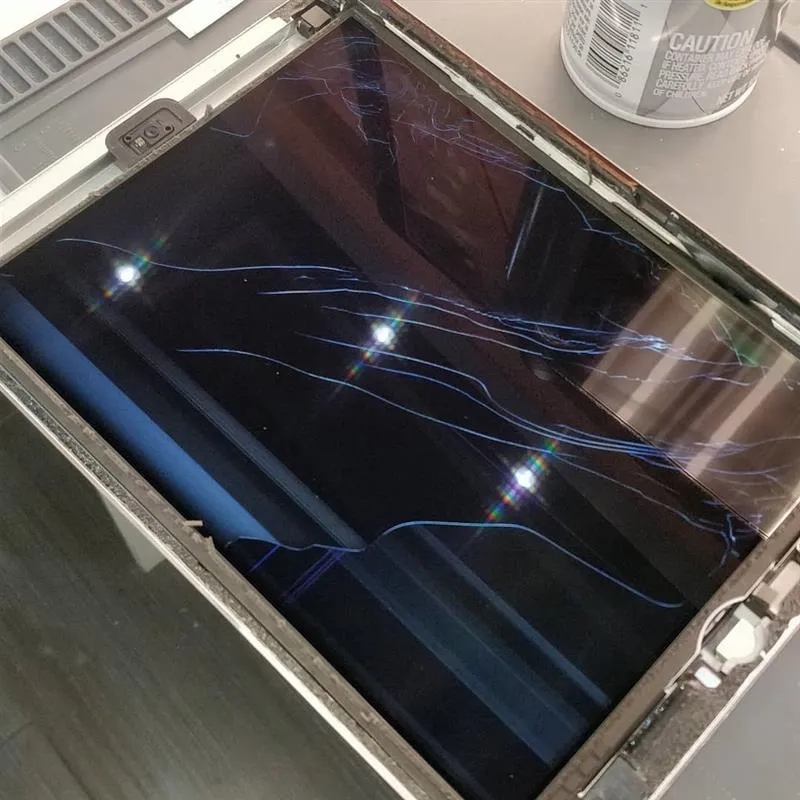
A cracked or malfunctioning iPad screen can disrupt everything from work and school tasks to entertainment and daily communication. While iPad displays are designed to be durable, accidents happen—and knowing the proper repair process helps you understand what to expect and how to ensure the job is done correctly. This step-by-step guide breaks down the essential procedures, tools, and best practices used by repair professionals to restore your device safely and effectively.
1. Initial Assessment and Diagnosis
Before any repair begins, a thorough evaluation is necessary. A technician checks for:
- Type of damage (crack, shattered display, touch issues, LCD bleed)
- Internal damage caused by impact
- Frame bends or warping
- Functionality of the home button, Face ID, or Touch ID
- Battery health and connection stability
This ensures the correct replacement part is selected—either a digitizer-only replacement (for older models) or a full display assembly (for newer models with laminated screens).
2. Gathering the Right Tools
iPad screen repairs require precision tools to avoid damaging delicate internal components. Common tools include:
- Heat gun or heating mat
- Plastic opening picks
- Suction cup
- Fine-tip tweezers
- Pry tools
- Adhesive strips and frame tape
- Screwdrivers designed for Apple screws
- Anti-static wrist strap for safety
Professionals also use microscopes and specialized tools to work around sensitive circuits and components.
3. Heating and Removing the Broken Glass
iPad screens are secured with strong adhesive, so controlled heating is essential. The technician:
- Gently heats the perimeter of the display to loosen the adhesive.
- Uses plastic picks to lift the glass without damaging the frame.
- Carefully works around the edges to avoid tearing flex cables.
This step requires patience—any sudden force can damage internal components, especially the digitizer or LCD.

4. Disconnecting Display Components
Once the screen is lifted, the device is powered down and the battery is disconnected for safety. Then:
- Digitizer cable
- LCD cable
- Home button or Touch ID sensor cable
are carefully detached. These components are fragile, so precision and steady hands are crucial.
5. Installing the New Screen
After removing the damaged assembly, the technician prepares the frame:
- Cleans off old adhesive
- Straightens any minor bends
- Ensures sensors and cables are correctly aligned
Then the replacement screen—OEM-grade or high-quality aftermarket—is positioned and connected. Special care is taken if the home button is transferred to maintain Touch ID functionality.
6. Securing the Screen and Re-Sealing the Frame
Once the screen is tested and confirmed to be working:
- Fresh adhesive strips are applied around the frame.
- The new display is pressed into place for a firm, even seal.
- The device is set under a clamp or weight to ensure proper bonding.
This prevents future lifting and maintains the iPad’s structural integrity.
7. Final Testing and Quality Check
Professional repair shops conduct a complete functionality test, including:
- Touch responsiveness
- Display color and brightness
- Home button or Face ID
- Speakers, cameras, and sensors
- Wi-Fi and Bluetooth connectivity
- Battery drainage checks
Only after everything works perfectly is the device ready for return.
When to Choose a Professional Instead of DIY
While many online guides make iPad screen repair appear simple, it involves risks:
- Sensitive components can be damaged easily.
- Home button/Touch ID can become permanently unusable.
- Cheap parts cause display discoloration or touch issues.
- Improper sealing allows dust or moisture to enter.
For most users, professional repair is the safest, most cost-effective option—ensuring long-term performance and reliability.
Final Thoughts
Repairing an iPad screen is a detailed process that requires the right tools, precision, and technical expertise. Understanding the steps helps you make informed decisions and ensures you choose a qualified professional who can restore your device to like-new condition. Whether you’re dealing with a small crack or a completely shattered screen, following a structured repair workflow is the key to a successful result.
If you need a fast, reliable iPad screen repair service, choosing an experienced technician ensures accuracy, safety, and the highest level of quality.