
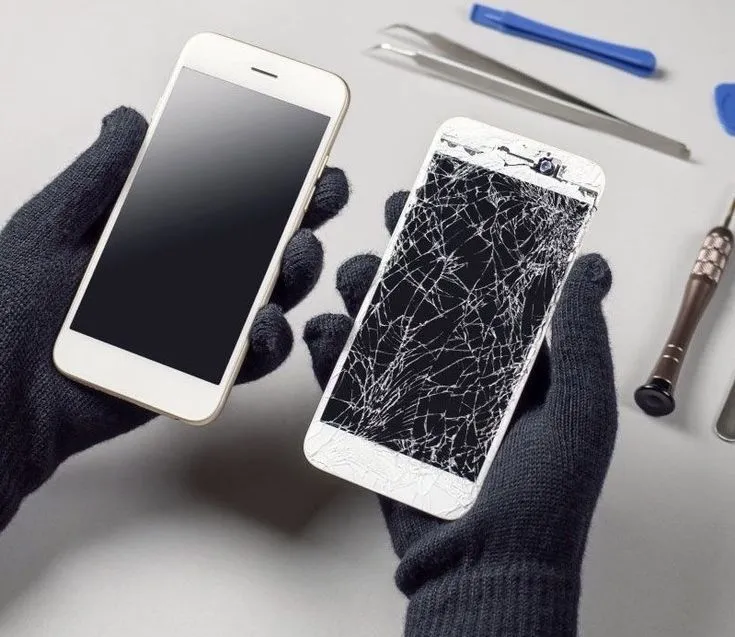
When you drop your phone, the exterior glass might survive while the internal hardware suffers serious harm. Common internal phone damage signs after a drop include persistent touchscreen lag, sudden battery drain, frequent software crashes, and wireless connection failures. Recognizing these symptoms early can prevent a complete device failure and keep your data safe.
As diagnostics professionals representing Mobile Square, we have serviced thousands of dropped devices, seeing how hidden issues develop. This guide details the hidden warning signs you need to look for to determine if your phone requires professional attention.
How to Spot Internal Screen and Display Problems
A drop can damage the delicate layer of the screen that registers your touch, even if the outer glass remains intact. You might notice dead zones where the screen does not respond to your finger, or the screen might start pressing buttons on its own.
This occurs because the touch digitizer, an ultra-thin sensor layer behind the glass, breaks or loses its connection. When this sensor fails, the electrical currents that track your finger’s movement are disrupted.
Beyond immediate responsiveness issues, the physical shock can micro-fracture the underlying display glass substrate. Over hours or days, these microscopic fissures can expand, leading to a complete blackout of the panel even without any external glass damage.
Another warning sign is the appearance of vertical lines or discolored bands across the display. This happens when the connection between the logic board and the display panel becomes loose or damaged.
In some cases, you might notice dark purple or black spots that slowly grow over a few days. This represents an internal screen bleed, indicating that the liquid crystal or organic light-emitting diodes are leaking.
Bonus Tip: If your screen stops responding, avoid pressing down hard on the glass. Applying heavy pressure can crack the underlying organic light-emitting diode (OLED) panel, turning a minor connection fix into an expensive screen replacement.
Why Does Your Battery Drain Quickly After a Drop
Physical impact can damage the internal structure of your lithium-ion battery or compromise its overall structural integrity. If your phone begins to lose power rapidly or feels unusually hot, the battery may have suffered internal physical stress.
A survey by Allstate Protection Plans shows that battery failures are among the most common hidden consequences of device drops. A damaged battery can swell, posing a serious safety hazard and warping your phone’s chassis.
When a phone drops, the small phone repair connector that plugs the battery into the mainboard can loosen. This loose connection causes the battery health reading to jump up and down, making your phone turn off at high percentages.
The shock can also cause micro-tears in the internal separators of the battery cell. These tears lead to slow internal short circuits, causing the battery to discharge energy as heat even when the phone is idle.
Bonus Tip: Look at your phone from the side to check for a curving screen or backplate. A swelling battery often pushes these panels outward, and you should power down the device immediately if you spot this.
Signs of Logic Board and Processor Malfunctions
The logic board is the brain of your phone, holding the processor, memory, and main circuits. When a phone hits a hard surface, the impact can crack microscopic solder joints on this board, leading to random restarts.
If your phone suddenly freezes during basic tasks or fails to boot past the startup logo, the internal storage or processor connection may be loose. These symptoms often worsen over time as the phone heats up and cools down.
Because modern phones use tightly packed multi-layered boards, even a tiny flex during a drop can break connection traces. You might find that specific features, like your camera flash or face detection, suddenly stop working entirely.
A loose logic board connection can also affect your phone’s ability to charge or read the SIM card. You might find that your phone only charges when the cable is held at a specific angle.
Our team at Mobile Square frequently identifies these fractured connections during advanced diagnostic procedures. Addressing board issues early can save your personal data from becoming permanently inaccessible.
Audio and Connection Failures From Physical Impact
Your phone contains several small antennas and speakers that are highly sensitive to physical shocks. If you notice that your cellular signal is suddenly weak or that Wi-Fi constantly disconnects, an internal antenna wire may have come loose.
Earpiece speakers and microphones can also fail if their delicate voice coils shift during a fall. If callers cannot hear you or your audio sounds muffled and distorted, internal damage is the likely cause.
The audio processing chip itself can detach from the motherboard due to the bending force of an impact. When this happens, your phone might take a very long time to boot, or the voice memo app will appear greyed out.
Physical shock can also damage the optical image stabilization in your camera lens. If you open your camera app and the preview image vibrates or fails to focus, the tiny electromagnets inside the lens have shifted.
A study by Mintel reveals that many users tolerate minor audio issues after a drop, unaware that these are symptoms of wider internal loosening. Ignoring these issues often leads to total speaker failure.
Comparing External Versus Internal Damage Symptoms
Understanding the difference between surface damage and internal failure helps you make the right choice for your device.
| Symptom Category | External Damage Only | Internal Hardware Damage |
|---|---|---|
| Screen and Display | Hairline scratches or cracked outer glass; touch works fine. | Vertical green lines, flickering colors, dead touch zones. |
| Power and Battery | Cosmetic scratches on the back glass or frame. | Rapid battery drain, sudden shut-offs, overheating. |
| Sound and Audio | Dust in speaker grilles; slight cosmetic scuffs. | Muffled sound, complete speaker failure, mic not working. |
| Connectivity | No physical change in reception. | Dropped Wi-Fi, no cellular signal, Bluetooth failure. |
What to Evaluate Before Choosing a Repair Plan
Before deciding whether to repair or replace your dropped device, you need to weigh several practical factors. Assessing the age of your device first is critical, as older models might not justify the cost of complex motherboard repairs.
It is also wise to check your warranty coverage or insurance policies to see if accidental damage is covered. Furthermore, you must consider the value of the data stored on the device, as professional phone repair is often the only way to recover precious photos and documents.
Another major consideration is the number of separate systems failing at once. If your phone requires a new screen, a new battery, and a camera replacement simultaneously, the cumulative expense will likely exceed the unit’s overall value.
Ultimately, comparing the total repair estimate against the price of an equivalent replacement is the deciding factor. If the restoration costs more than half the value of a new phone, upgrading is often the more practical long-term choice.
Summary of Key Warning Signs
Internal damage is not always visible immediately after a drop, but it reveals itself through operational glitches. Watch for unresponsive touch zones, overheating batteries, weak cellular signals, and sudden system restarts in the days following an accident.
Addressing these symptoms early prevents further complications and protects your valuable data. Keep an eye on your device’s performance to catch these hidden issues before they lead to a total hardware failure.
Get Professional Diagnostics for Your Device
Let Mobile Square help you find the solution with a comprehensive checkup. Our experienced team can perform a complete diagnostic scan to pinpoint hidden hardware issues. We offer a free estimate for any required repairs, ensuring you have all the facts before making a decision. Our work is backed by our quality service guarantee, ensuring your device runs perfectly. Contact our professional team today at info@mobilesquare.ca or call 647-970-9700 to restore your device quickly and safely.
Frequently Asked Questions
Can a phone have internal damage without a cracked screen?
Yes, internal parts like the battery, camera, and logic board can break from the shock of a drop, even if the exterior glass remains completely undamaged and scratch-free.
How do I know if my phone battery is internally damaged?
Signs include rapid power loss, unusual heat during basic tasks, a bulging case, or the phone shutting down unexpectedly while showing a high charge percentage.
Why is my phone’s touchscreen lagging after a drop?
The impact likely damaged the digitizer layer beneath the glass or loosened the flex cable connecting the display to the motherboard, causing delayed or ignored touch responses.
Can a dropped phone cause signal loss?
Yes, physical shocks can unplug or break the internal antenna bands or damage the baseboard chip, leading to weak Wi-Fi, Bluetooth, or cellular reception.
Is it safe to use a phone with internal damage?
It depends on the damage. A faulty motherboard might only cause glitches, but a damaged, swollen battery is a safety hazard that requires immediate professional repair.
Sources
- Allstate Protection Plans – Provider of device protection plans and studies on consumer electronics damage trends.
- Mintel – Market research firm providing reports on consumer behavior and mobile device durability trends.