
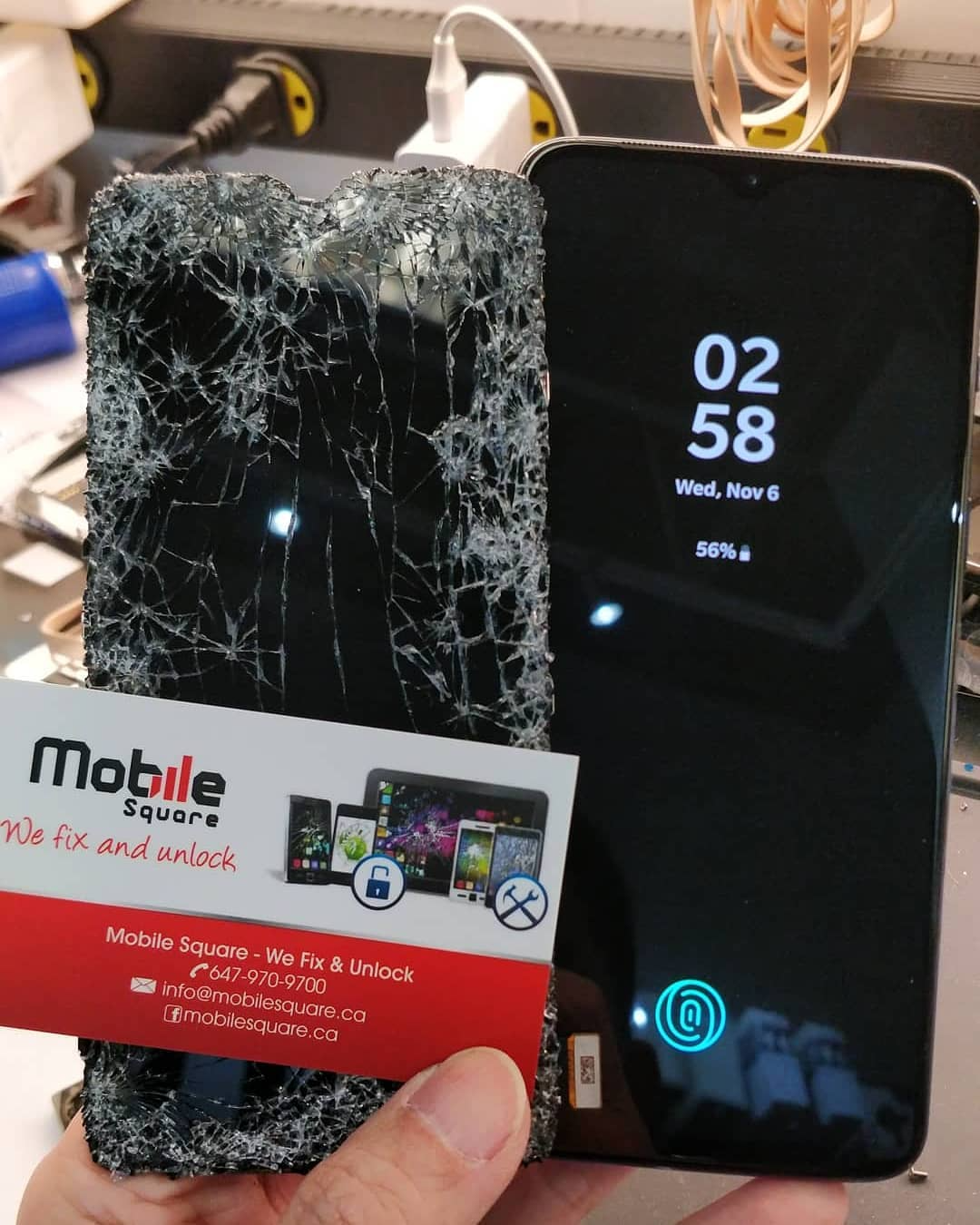
A cracked or malfunctioning OnePlus screen can turn your everyday device into a frustrating burden. Whether the phone slipped out of your hand, landed face-first on pavement, or simply stopped responding, screen issues disrupt everything—from texting to online banking to work-related tasks. The good news is that repairing a OnePlus screen is easier and more straightforward than most people think, as long as you understand what type of damage you have and what repair option fits your situation.
After working with many OnePlus models over the years, I’ve seen all types of screen problems: subtle hairline cracks, completely shattered panels, touch failures, and displays that went black without warning. This guide breaks down how OnePlus screen repairs work, what causes the damage, and how you can get your device back to perfect working condition with confidence.
Understanding OnePlus Screen Damage
Not all screen damage looks the same, and the repair you need depends on the symptoms you’re seeing.
Some common signs include:
- Thin surface cracks that don’t affect touch
- Shattered glass with broken edges
- Ghost touches or complete touch failure
- Flickering, colored lines, or black spots
- A totally black or unresponsive display
Newer OnePlus models—like the OnePlus 9, 10, and 11 series—use high-end AMOLED displays, which means even minor cracks can quickly spread or cause deeper display failure.
Why OnePlus Screens Break
Screen cracks usually come from impact, but there are a few specific contributors that make OnePlus devices more vulnerable:
1. Hard Drops on Corners or Edges
Even with a case, the corners absorb the most force. A sharp drop on concrete or tile often sends cracks across the screen instantly.
2. Pressure Damage
Many people don’t realize how much pressure a phone endures in pockets or bags. Sitting down with the phone in your back pocket or storing it under heavy items can cause hidden fractures.
3. Temperature Stress
Ontario winters and cold weather environments can make glass more brittle, causing cracks even from light impacts.
4. Weak or Worn-Out Screen Protectors
A protector that’s too thin or already damaged won’t absorb shock well.
Pro Tip: If your OnePlus display shows colored lines after a drop, the AMOLED layer—not just the glass—is damaged. This requires a full screen assembly replacement.
Types of OnePlus Screen Repairs
Different symptoms require different repair solutions. Here’s a simple breakdown to help you understand what your device needs.
Glass-Only Cracks
If the touch works perfectly and the display shows no lines or black spots, you might think you only need to replace the glass. However, with OnePlus AMOLED screens, the glass is fused tightly to the display. For most models, the repair involves replacing the entire assembly.
Touchscreen Failure
When your phone doesn’t respond, jumps around, or registers touches you didn’t make, the digitizer is damaged. This also requires a full display replacement.
Display Problems
Lines, flickering, or a black screen indicate AMOLED damage. Again, the full assembly must be replaced.
Frame Damage
If the phone bends or the edges warp, the new screen won’t sit properly without straightening the frame first.
Table: OnePlus Screen Symptoms and Repair Needed
| Symptom | Likely Cause | Required Repair | Urgency Level |
|---|---|---|---|
| Minor cracks | Glass surface break | Full screen assembly | Moderate |
| Ghost touches | Digitizer damage | Full screen assembly | High |
| Colored lines | AMOLED failure | Full display replacement | High |
| Flickering or black screen | Display damage | Full display replacement | High |
| Uneven frame | Drop impact | Frame straightening + new screen | High |
Choosing Between OEM and Aftermarket Screens
When replacing your OnePlus screen, you’ll usually choose between:
OEM (Original Equipment Manufacturer)
These are original OnePlus parts and provide the best color, brightness, and durability.
Premium Aftermarket
High-grade third-party screens that mimic original AMOLED quality. These are more affordable and work well for older devices.
Low-Grade Aftermarket
Avoid these. They are dim, less responsive, and fail quickly.
Pro Tip: If your OnePlus uses an AMOLED display (most newer models do), always choose OEM or premium aftermarket. Cheap displays are noticeably dull and unreliable.

How Long OnePlus Screen Repair Takes
Most OnePlus screen replacements can be completed in:
- 45–90 minutes for common models
- Same-day service if parts are in stock
- Longer if the frame is bent or adhesive needs extra curing time
Technicians familiar with OnePlus devices can work quickly because they understand the delicate ribbon cables and the proper heat application needed to remove the display safely.
Common Mistakes People Make
Many OnePlus users unknowingly make the problem worse by:
- Continuing to use the phone after a drop
- Applying pressure to a partially cracked screen
- Letting dust or moisture enter through open cracks
- Trying low-quality DIY kits that break internal sensors
- Waiting too long, causing further AMOLED deterioration
These mistakes often lead to more expensive repairs later.
Important Considerations Before Repairing Your OnePlus Screen
Before committing to a repair, ask yourself:
Is the phone still under warranty?
Accidental damage is usually not covered, but it’s worth checking.
Do you need the original brightness and color quality?
Choose OEM if display quality is important.
How long do you plan to keep the device?
You might choose a more affordable option if you plan to upgrade soon.
Do you want water resistance restored?
Professionals can reseal the phone with proper adhesive.
Is the frame bent?
Straightening is important to prevent re-cracks.
Final Thoughts
Fixing a damaged OnePlus screen doesn’t have to be complicated. Once you understand the type of damage and the repair options available, the process becomes straightforward and stress-free. Whether your screen has a small crack or a completely black display, a professional phone repair technician can restore your phone quickly and with long-lasting results.
Your OnePlus is built for performance, and a quality screen replacement ensures it stays that way. If you’re dealing with screen damage, don’t wait—small problems often grow into bigger ones. A proper repair brings your device back to life and extends its overall lifespan.
Key Questions People Ask
Can I use my OnePlus with a cracked screen?
You can, but it’s not recommended. Cracks expand, reduce display strength, and can cause deeper internal damage. Sharp glass can also cause injury.
Will repairing the screen erase my data?
No. Screen replacement doesn’t affect storage. Your photos, apps, and settings stay intact.
Why is OnePlus screen repair more expensive than some other brands?
Most OnePlus devices use AMOLED displays that are fused to the glass, making them costlier to replace and more sensitive during installation.
Can I replace the screen myself?
You technically can, but it’s risky. The display and fingerprint sensor cables are extremely delicate. Professional tools ensure clean removal and proper sealing.