
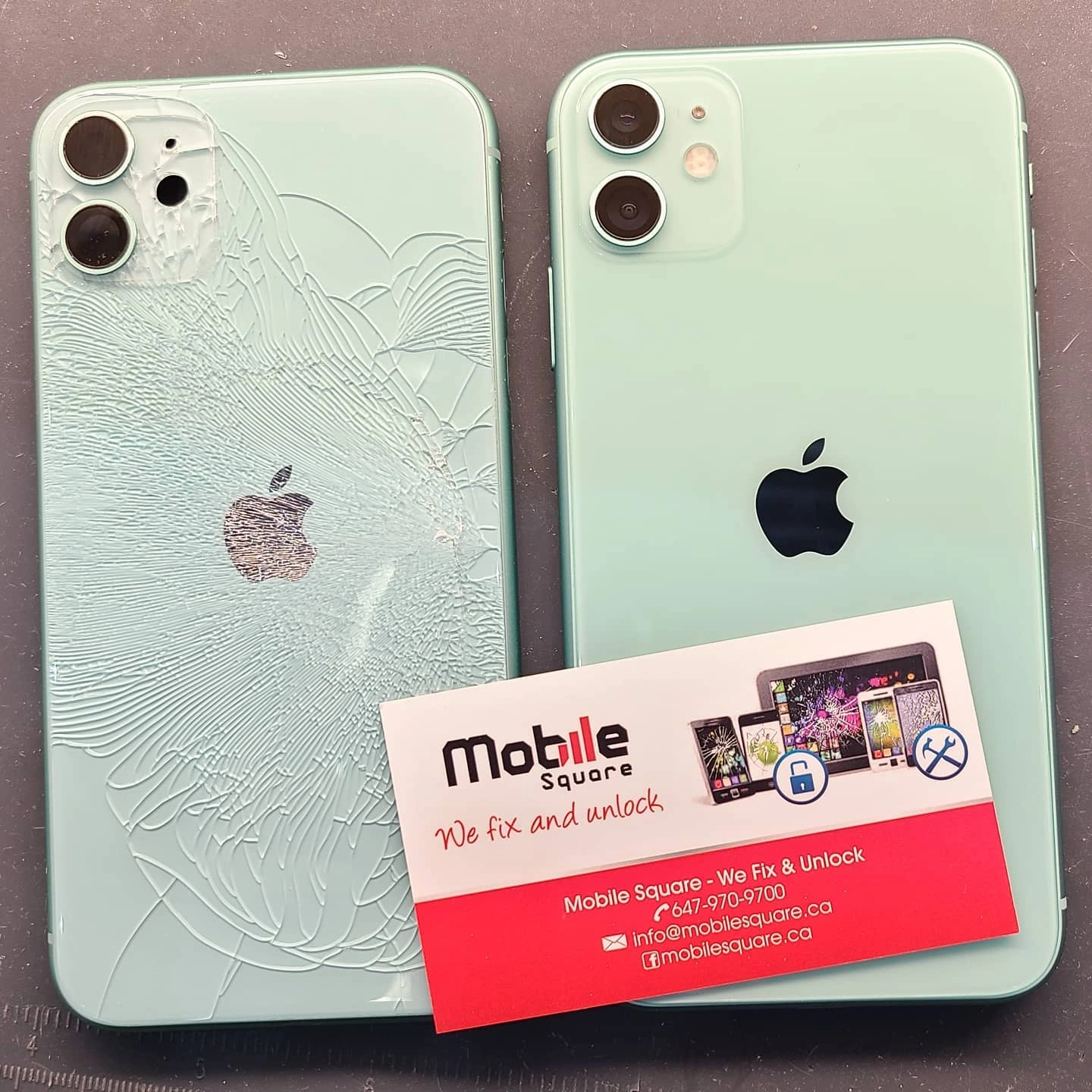
A cracked iPhone back glass requires immediate repair because it compromises the device’s structural integrity and exposes internal components to moisture and debris. Even small hairline fractures allow liquid to seep into the battery and logic board, leading to short circuits or permanent hardware failure. Addressing the damage quickly prevents these secondary issues and maintains the safety of the device for daily use.
This guide explains the technical risks associated with glass damage and provides practical advice for iPhone owners in Raymerville, ON. We draw on years of hands-on experience at Mobile Square to help you understand why waiting to fix a shattered back panel often leads to much more expensive repairs.
Internal damage caused by moisture and dust
The back glass of an iPhone serves as a primary seal against the environment. Once that seal is broken, the phone loses its water resistance rating completely. Technical specifications provided by Apple explain that newer iPhone models rely on a precision fit between the glass and the frame to keep out liquids and dust.
In the humid summer months or snowy winters of Ontario, moisture in the air can enter through the cracks. This moisture often settles on the battery or the wireless charging coil. Over time, this leads to corrosion, which can cause the phone to overheat or stop charging entirely.
Safety hazards from glass splinters
Modern smartphone glass is designed to be strong, but when it shatters, it creates microscopic shards. These slivers can easily embed themselves in your skin during regular use. Since we hold our phones for several hours a day, the risk of small cuts is high.
Beyond physical injury to the user, these tiny glass pieces can also work their way inward. They can puncture the soft lithium-ion battery casing. Safety guidelines from UL Solutions indicate that damaged batteries pose a fire risk if they are compromised by external debris or sharp objects.
Structural weakness and screen stability
The back glass isn’t just for looks; it provides rigidity to the entire phone housing. When the back is shattered, the frame of the phone becomes more flexible. This added flex puts extra stress on the front display.
If you drop a phone that already has a cracked back, the front screen is much more likely to shatter because the frame cannot absorb the impact properly. Professional iPhone screen and battery repair can help address related issues and keep your device in better condition. Repairing the back glass early helps maintain the overall strength of the device.
How glass damage affects different iPhone features
| Feature | Impact of Cracked Back Glass | Severity Level |
|---|---|---|
| Wireless Charging | Cracks can interfere with the induction coil and cause heat buildup. | High |
| Camera Quality | Fractures near lenses cause light flare and blurriness in photos. | Medium |
| Water Resistance | IP ratings are completely voided once the glass is breached. | Critical |
| Battery Safety | Sharp shards can press against the battery cell, risking a swell. | Critical |
Why is it harder to repair later?
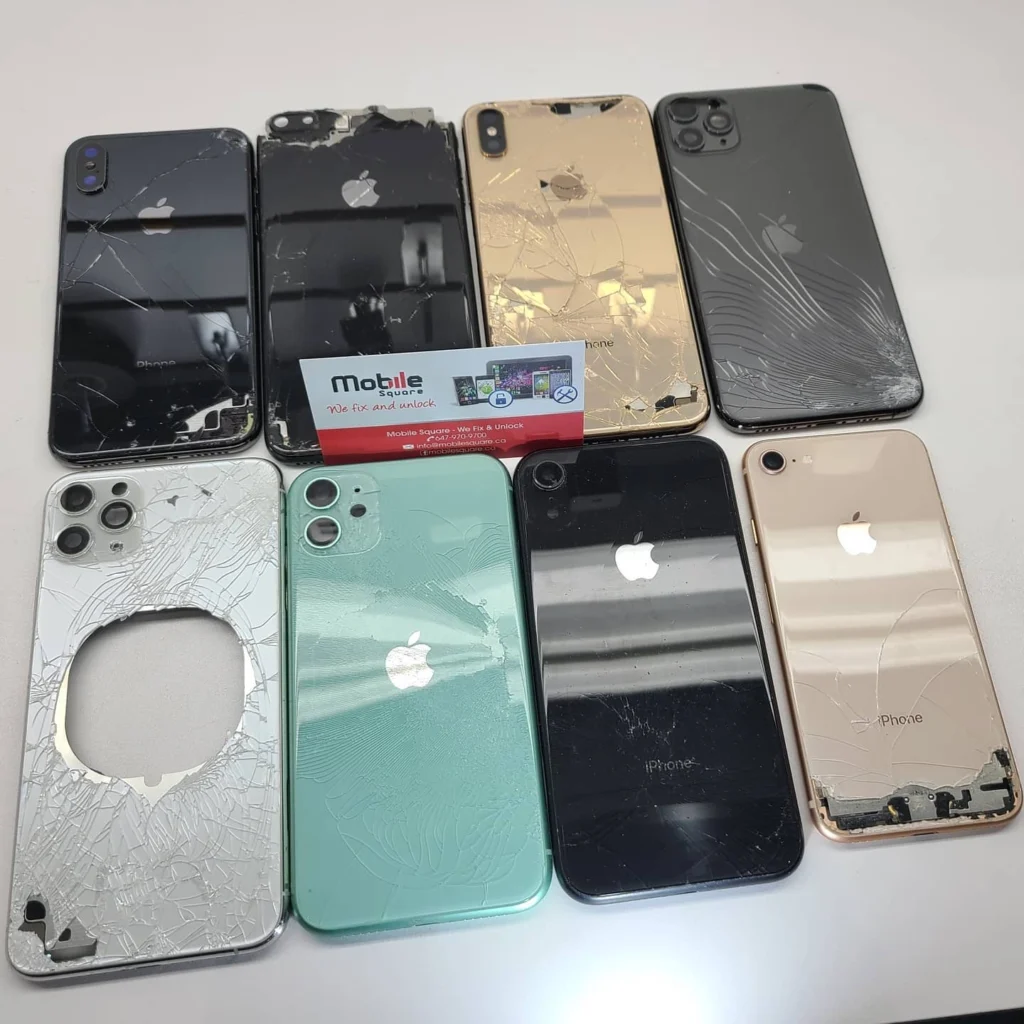
Many people wait to fix their phones because the device still functions. However, glass shards eventually get stuck in the adhesive used to hold the components together. This makes the eventual repair more labor-intensive and potentially more expensive if internal parts need cleaning.
General repair of modern iPhones in Raymerville is incredibly tight. Delaying a fix often leads to a cascading failure where one broken part causes other components to fail.
Factors to evaluate before seeking a repair
1. Check your warranty or insurance coverage
Before looking for local shops, verify if you have accidental damage coverage. Standard warranties usually do not cover cracked glass, but third-party insurance or premium manufacturer plans often do. Knowing your coverage status helps you budget for the fix.
2. Evaluate the extent of the impact
Look closely at the camera housing. If the glass around the lenses is shattered, your photos will suffer from light leaks. If the glass is falling out in chunks, the device is no longer safe to put in your pocket or against your face.
3. Assess the trade-in value
If you plan to upgrade your phone within the next year, a cracked back will significantly drop the trade-in value. Often, the cost of the repair is lower than the amount of value lost during a trade-in at a retail store.
Practical tips for temporary protection
- Bonus Tip 1: If you cannot get to a repair shop immediately, cover the back of the phone with a piece of clear packing tape. This prevents glass shards from falling out and offers a very basic barrier against moisture.
- Bonus Tip 2: Avoid using a heavy-duty case to hide the cracks without fixing them. These cases can trap moisture against the cracks, accelerating the corrosion process inside the phone.
Is it safe to use a phone with a cracked back?
Technically, the phone may stay powered on, but it is not truly safe. The loss of structural integrity means the phone is one small bump away from a total failure. Furthermore, the risk of a battery fire, while low, increases when the internal environment is exposed.
In Raymerville, the temperature shifts can also cause the glass to expand and contract. This movement makes the cracks spread. What starts as a single line in the morning can become a spiderweb by the evening just from moving between an air-conditioned room and the outdoor heat.
Choosing a professional repair service
Replacing the back glass on modern iPhones is a complex process. It involves high-heat lasers or complete housing replacements because the glass is bonded with incredibly strong adhesive. DIY attempts often result in damaged wireless charging coils or severed ribbon cables.
We recommend seeking professionals who have the specific equipment to handle these iPhone repairs without damaging the logic board. Professional shops also ensure that the new glass is seated correctly to provide the best possible seal against future dust and debris.
Summary of device safety and longevity
Taking care of your iPhone involves more than just software updates. The physical condition of the hardware determines how long the phone will remain reliable. By addressing a cracked back glass quickly, you protect your investment and ensure that the device remains a safe, functional tool for your daily life in Raymerville. Avoid waiting until the damage spreads to the motherboard or battery.
Get Expert Help for Your iPhone
If you are dealing with a shattered back panel, we can help restore your device to its original condition. Mobile Square provides high-quality repairs using specialized equipment to ensure your phone is safe and functional. You can reach us at info@mobilesquare.ca or call 647-970-9700 to speak with our team. We offer a free estimate for all back glass repairs so you can make an informed decision without any pressure. Let us help you extend the life of your iPhone today.
Common Questions About Back Glass Damage
Does a cracked back affect my camera?
Yes, if the cracks run through or near the camera lens covers, they can cause light to refract poorly. This results in hazy photos, lens flares, or focus issues during use.
Can I fix the glass myself at home?
It is not recommended. Modern iPhones use very strong epoxy to bond the glass. Removing it without a specialized laser or professional heat tools usually results in damage to the internal charging coils.
Will my phone still be waterproof after a repair?
While we use high-quality adhesives to reseal the device, no repaired phone can ever be guaranteed 100% waterproof again. It will, however, be much more protected than it was while cracked.
How long does a back glass repair usually take?
Most professional repairs take between two to four hours. This time is needed to carefully remove the old glass shards and allow the new adhesive to bond correctly to the metal frame.
Will I lose my data during the glass repair?
Back glass repair is a hardware procedure and does not involve the phone’s software. Your data should remain safe, though it is always a smart habit to back up your device regularly.
Sources
- Apple – Official documentation regarding water, splash, and dust resistance for iPhone.
- UL Solutions – Global safety science information regarding battery safety and testing standards.