

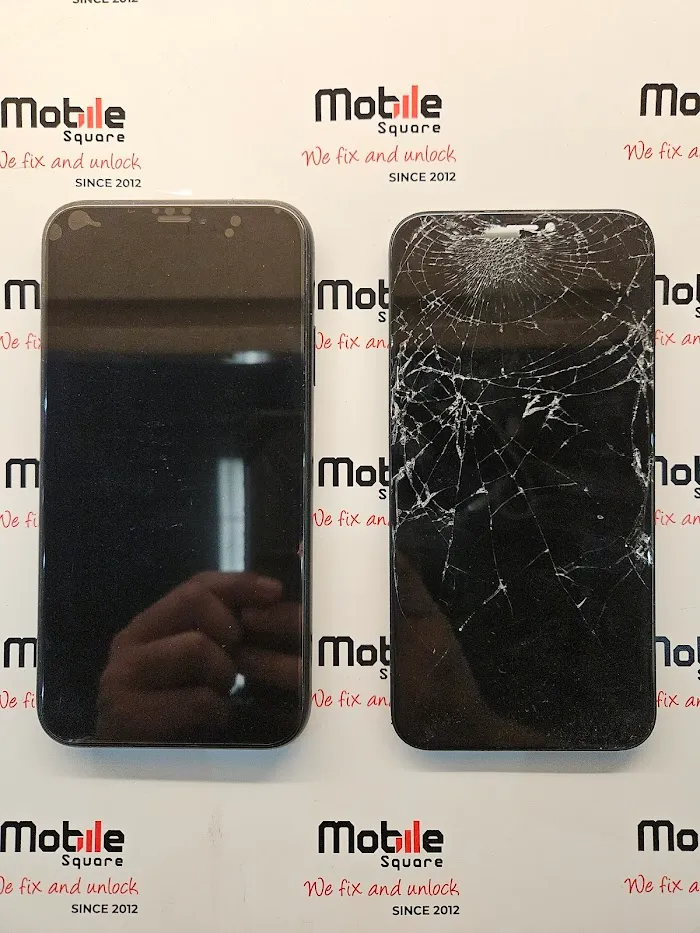
There is a specific kind of panic that sets in when you drop a Huawei phone. These devices are known for their stunning build quality and vibrant displays, particularly the curved “waterfall” edges found on the Pro and Mate series. When you turn the device over and see that signature spiderweb fracture running across the glass, it feels like a major disaster. Unlike more common brands in North America, finding a clear path to repair for a Huawei device can feel confusing due to parts availability and the unique engineering of the phone.
If you are holding a damaged Huawei device, you are likely weighing your options between trying to repair it yourself, finding a shop that actually services these models, or simply buying a new phone. It is a tough decision because Huawei hardware is robust and often lasts for years, making a repair financially smart if done correctly. However, the repair process is intricate and unforgiving.
As a repair technician who has worked on everything from the P30 Pro to the latest Mate series, I can tell you that fixing these phones requires a different approach than fixing an iPhone or a Samsung. This guide will help you understand the specific challenges of Huawei screen replacement, the risks involved with the curved glass, and how to ensure you don’t lose the functionality that made you love the phone in the first place.
If you are holding a damaged Huawei device, you might also be considering other types of repairs. Mobile Square offers OnePlus Repairs for those who need professional assistance on similar Android devices.
Understanding the Architecture of Your Huawei Screen
Before you make any decisions, it is helpful to understand what actually broke. Huawei screens, especially on premium models, are essentially a sandwich of high-tech components. You have the outer glass (often curved), the digitizer (which registers touch), and the underlying OLED or LCD panel.
When these screens break, you often see one of two scenarios. The first is a simple glass fracture where the image is still perfect and the touch works. The second is damage to the OLED panel, which manifests as black “ink” spreading across the screen, flashing green lines, or a completely black display. On Huawei devices, the glass and the display panel are fused together with industrial-strength optical adhesive.
This fusion means that you generally cannot just peel off the broken glass and stick a new piece on. While you might see “glass only” kits for sale online, these are intended for factories with cryogenic freezers and vacuum laminators. For a standard repair, you will need to replace the entire display assembly.
Pro Tip: If your screen is damaged but you can still see the image, plug a computer mouse into your phone using a USB-C adapter (OTG cable). This allows you to navigate the phone and back up your data even if the touch functionality has failed completely.
The Unique Challenges of Repairing Huawei Phones
Repairing a Huawei device is significantly different from repairing other smartphones because of how they are constructed. Most modern Android phones require you to remove the back glass to get inside, and Huawei pushes this design to the extreme.
Huawei repairs can be intricate, especially when water or moisture has compromised the device. For any phone facing liquid damage, our team also handles Water Damage Repair with proper cleaning and board-level diagnostics to restore full functionality.
The “Back-to-Front” Teardown
To change the screen on most Huawei models, you do not just pop the screen off the front. You have to disassemble the entire phone from the back. This involves heating and removing the rear glass panel, which is often glued on tighter than the screen itself. Once the back is off, you have to remove the wireless charging coils, the motherboard, the battery, and the charging port sub-board. Essentially, you have to gut the phone completely to transfer these internal organs into a new screen frame.
This total teardown increases the risk significantly. A slip of the screwdriver can damage the motherboard. Prying the battery too aggressively can puncture it. With Huawei specifically, the ribbon cables are routed in complex ways beneath the battery, making them easy to tear if you aren’t looking for them.
The Curved Screen Dilemma
If you own a “Pro” model, you likely have a curved OLED screen. These screens are beautiful, but they make the phone structure more fragile during repair. The frame rails on the sides are incredibly thin to accommodate the glass curve. If you try to glue a new screen onto your existing bent or dinged frame, the new screen will likely pop out or crack within days because the tension isn’t distributed evenly.
Pro Tip: Always look for a “Service Pack” or “Screen with Frame” when buying Huawei parts. This comes with the new screen already pre-installed on a new metal chassis. It saves you from the nightmare of gluing curved glass and ensures your phone looks brand new.
Cost and Quality: The Parts Supply Issue
One of the biggest hurdles for homeowners in North America is simply finding high-quality Huawei parts. Because these phones are less common here than in Europe or Asia, local supply chains are often thin.
You will see cheap aftermarket screens available on auction sites, but you need to be wary. Huawei uses high-quality OLED panels that produce deep blacks and vibrant colors, as described in studies published by science.org. Cheap replacements are often LCDs hacked to fit, or low-grade OLEDs that look washed out and have a blue tint. Furthermore, low-quality aftermarket screens often cause the in-screen fingerprint sensor to fail because the glass is too thick or the panel isn’t transparent enough for the optical sensor to read your print.
Comparing Your Repair Paths
To help you visualize the effort involved, here is how a DIY attempt compares to a professional service for Huawei devices.
| Factor | DIY Repair | Professional Repair |
|---|---|---|
| Part Sourcing | Difficult (High risk of counterfeit parts) | Reliable (Access to service packs) |
| Complexity | Very High (Requires full disassembly) | Standard Routine |
| Fingerprint ID | High risk of failure with bad parts | Calibrated and tested |
| Tools Needed | Heat gun, specialized drivers, clamps | Industrial heating & bonding tools |
| Wait Time | 1-3 weeks for parts shipping | Same-day (if parts in stock) |
| Price | $100 – $250 (depending on model) | $150 – $350 |
Is Your Huawei Worth Rescuing?
Before you commit to a repair, you need to assess the economic viability. Huawei phones hold their value well in terms of performance—a P30 Pro or Mate 20 Pro is still a powerhouse device by today’s standards. However, the market value might be lower than you expect.
If you have a budget model (like the P Smart or Y series), a professional screen replacement might cost more than the phone is worth. In these cases, it is usually better to upgrade. However, for the flagship P and Mate series, the cameras alone justify the repair cost. These phones feature Leica optics that rival even the newest smartphones released today. If you enjoy photography, fixing your high-end Huawei is almost always cheaper than buying a new phone with a comparable camera system.
Key Questions Readers Ask
Will I lose my data during the screen replacement?
If the repair is done correctly, your data will remain safe. The memory chip is soldered to the motherboard, which is moved to the new screen frame. However, because the repair involves removing the battery and motherboard, there is always a slight risk. If your screen still displays an image, use Huawei’s HiSuite software on your computer to back up everything before handing it over for repair.
Why doesn’t my fingerprint reader work after changing the screen?
This is a common issue with Huawei repairs. The optical fingerprint scanner looks through the screen to see your finger. If the replacement screen is aftermarket (not original) or if there is any dust or glue residue left between the sensor and the screen, it won’t work. Sometimes, the phone simply needs to be recalibrated, but often it is a sign of a low-quality part.
Can I trust “Glass Only” repair videos I see on YouTube?
Those videos are fascinating to watch but misleading for the average person. They usually utilize thousands of dollars in specialized equipment. If you try to separate the glass from the OLED with just a hairdryer and a playing card, you have a 95% chance of destroying the display panel underneath. It is not a viable strategy for a home repair.
Conclusion
Fixing a cracked Huawei screen is a procedure that demands respect. The engineering that makes these phones feel so solid also makes them difficult to open and reassemble. The “back-to-front” teardown process means that to change the screen, you are effectively rebuilding the entire phone. While it is possible to do this at home, the scarcity of quality parts in North America and the high risk of damaging internal components make it a daunting task for a Saturday afternoon.
For most people, the smart move is to ensure you get an Original Service Pack screen installed by someone who knows their way around Huawei’s unique architecture. This ensures your Leica cameras stay dust-free, your battery remains safe, and that beautiful curved display looks exactly as it did the day you bought it.
If you are in the Markham, ON area and want to ensure your Huawei is treated with the expertise it deserves, Mobile Square – We Fix and Unlock is ready to assist. We have experience sourcing hard-to-find Huawei parts and performing the intricate board swaps these phones require. You can contact us at info@mobilesquare.ca or call 1 647-970-9700 to discuss your repair options.